My game took 2 days to make and 20 days to reach Google Play
I made Plumb in two days. Getting it to everyone on Google Play took twenty. The 12 testers, the 14 days and every form, with the real dates.
 , 10 min read
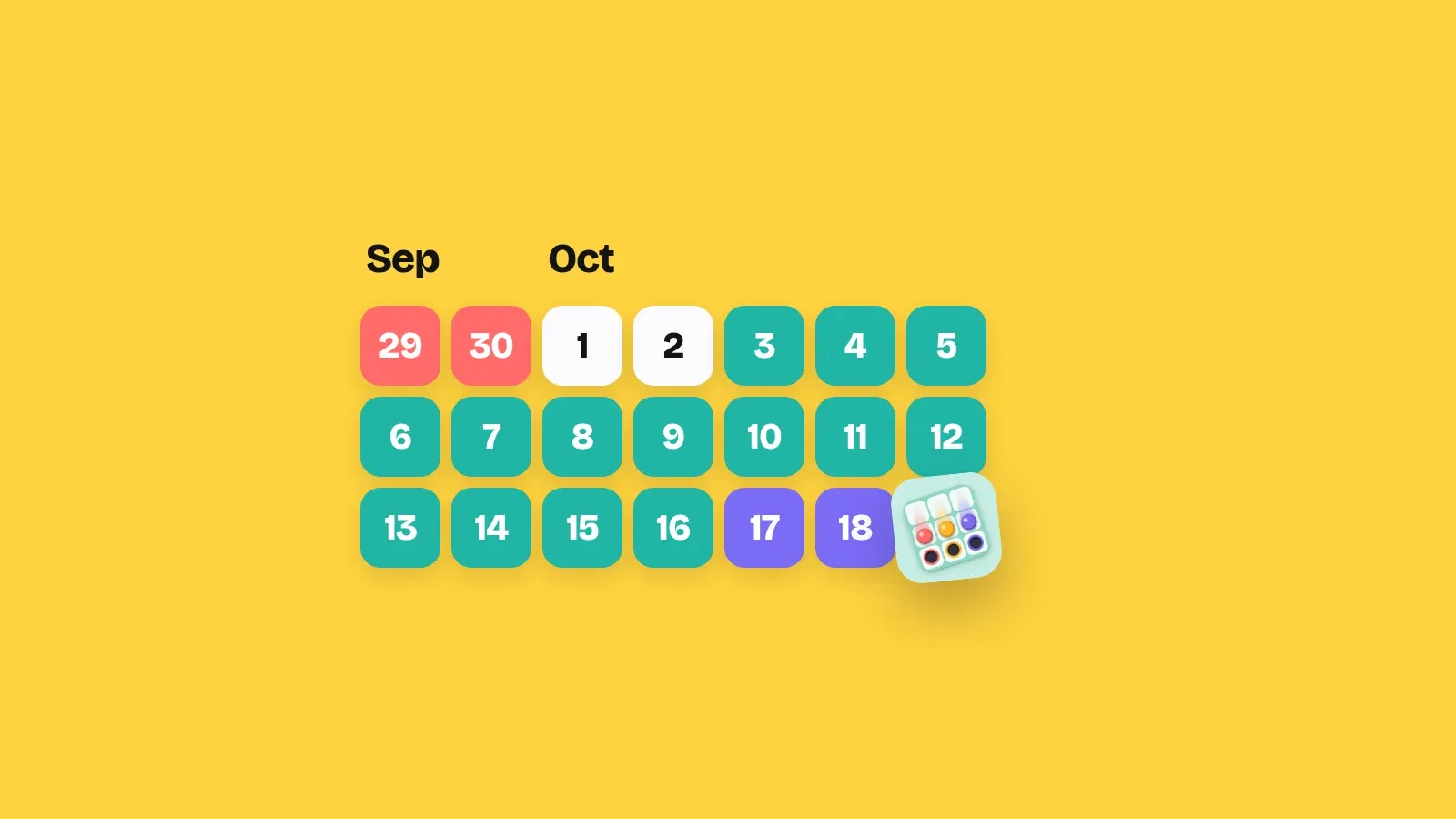
Plumb took me two days to make. Getting it onto Google Play for everyone took eighteen more. Nothing was broken. I was waiting for 12 people and 14 days.
This is that story, day by day, with the real dates. And if you are about to start your own closed test, the part you need is near the end.
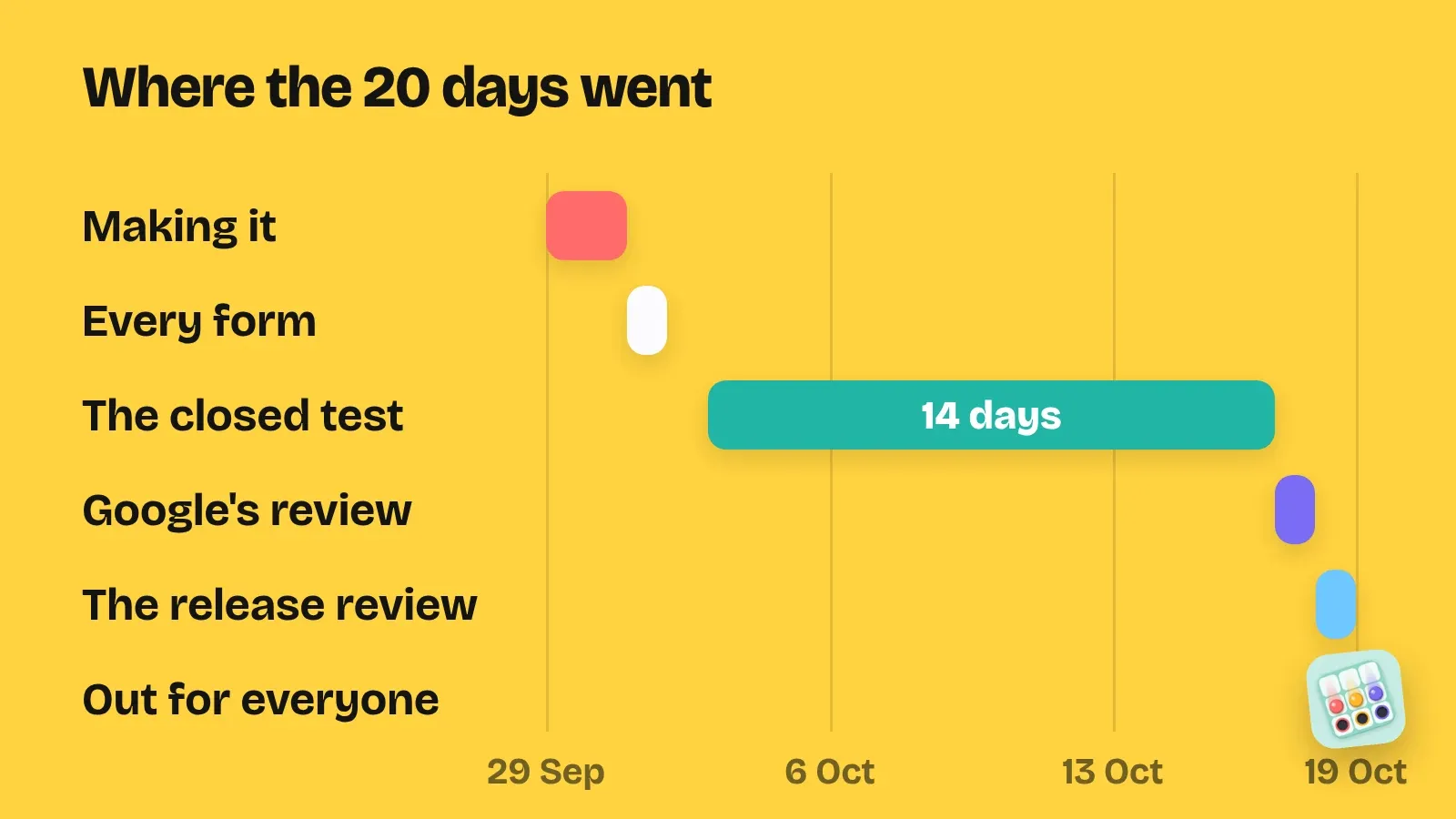
29 September: the easy part
I started at 3:01 in the afternoon, with a marble puzzle I first called Tilt. Its rule fits in one line: tilt the board, and every marble rolls until something stops it.
At 1:53 in the afternoon on 1 October, the first version was ready. Two days, almost to the hour.
I was not making only one game that week. Carillon and Apsis started the same afternoon, within half an hour of Plumb. That matters later, so keep it in mind.
1 October: every form
A game on your phone is not a game on Google Play. Before Google lets even a test version go out, the app needs its setup done in Play Console:
- The store listing: the name, two descriptions, the icon, a wide banner picture and screenshots.
- A privacy policy, as a page on the web.
- The content rating: a questionnaire about violence, gambling, purchases and more. Plumb is rated for Everyone.
- The target audience: I chose 13 and over.
- Data safety: what the game collects, what it shares and why. Plumb has ads and analytics, so the answer is not “nothing”.
- Ads: whether the app shows ads, and what it uses the advertising ID for.
- A few short ones: sign-in details, government apps, financial features and health features.
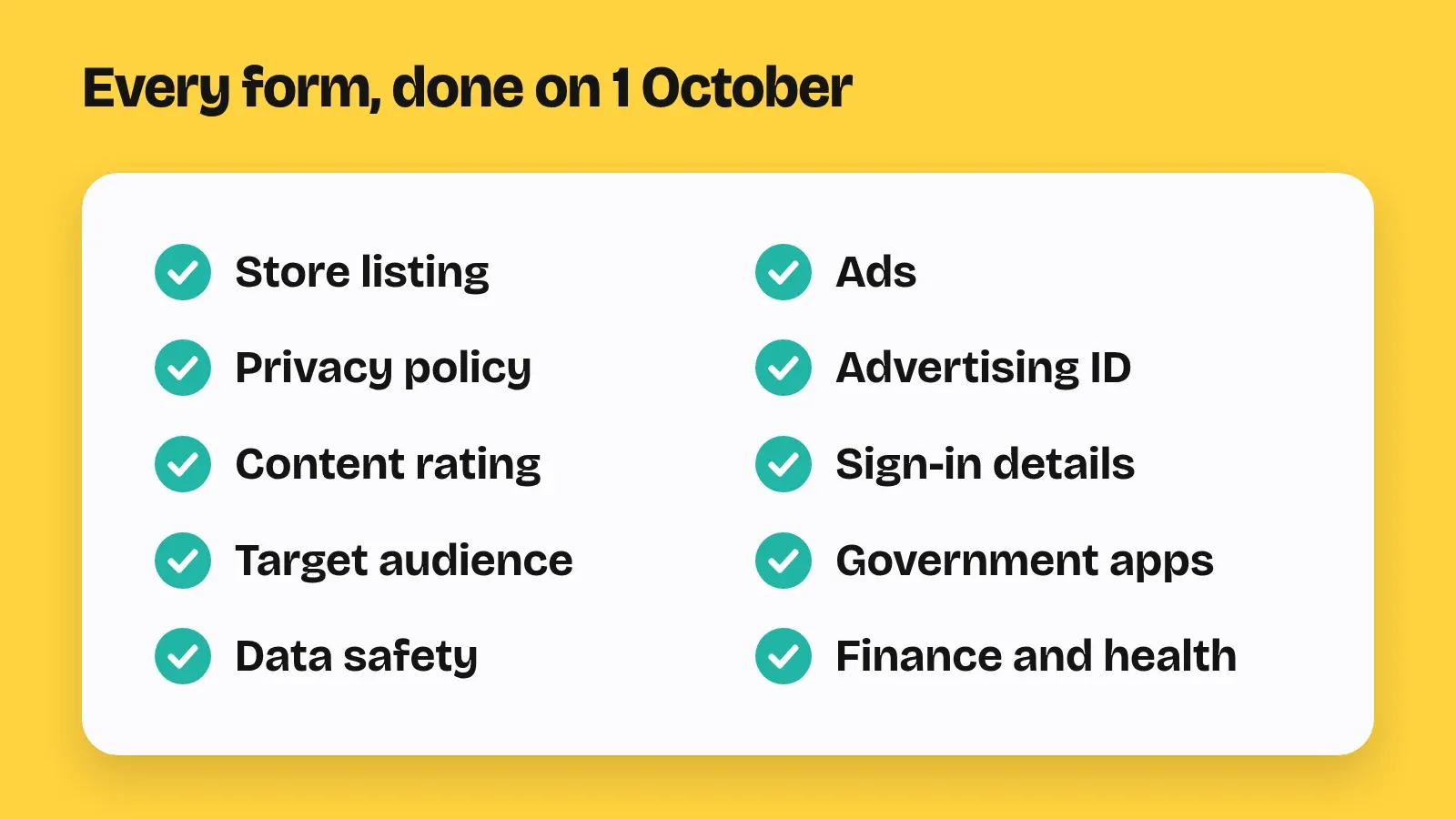
None of it is hard. For Plumb, all of it was done on 1 October, the same day the first version was ready. My games give almost the same answers, so I wrote every answer down once, and every game since reuses them.
Then I tried Plumb on my own phone through Play’s internal testing, only me, to check that the ads and the shop really worked. Even that waits for Google. A new app installs from Play only after Google has reviewed it once.
The rule that adds two weeks
Google has a rule for personal developer accounts made after 13 November 2023, and mine is one of them. Before an app can go out to everyone, you must run a closed test with at least 12 testers. Those 12 must stay opted in for 14 days in a row. Only then can you apply for production, which is Google’s word for “everyone”.
The days really have to be in a row. If a tester leaves the test and joins again later, their 14 days start over from zero.
And the rule counts for each game on its own. I had three games, so I needed 12 testers three times over.
3 October: the clock starts
For Plumb, I asked friends and family. I put their Gmail addresses in one list in Play Console, added the list to the closed test and sent everyone the opt-in link. I asked the same people to join Carillon and Apsis too.
The ask was simple: keep the game installed for 14 days, play it a few times, and tell me if anything looks wrong.
Day 1 of 14 was 3 October. Day 14 would end on 17 October.
From then on, the thing to watch was not bugs. It was people. One tester getting bored and leaving would not just lose me a tester. It would put that person’s 14 days back to zero.
14 days is a long wait, so I did not wait
The clock does not care what you do while it runs. A new version sent to the same test does not reset anyone’s days. So I kept working, and Plumb got eight new versions in those 14 days.
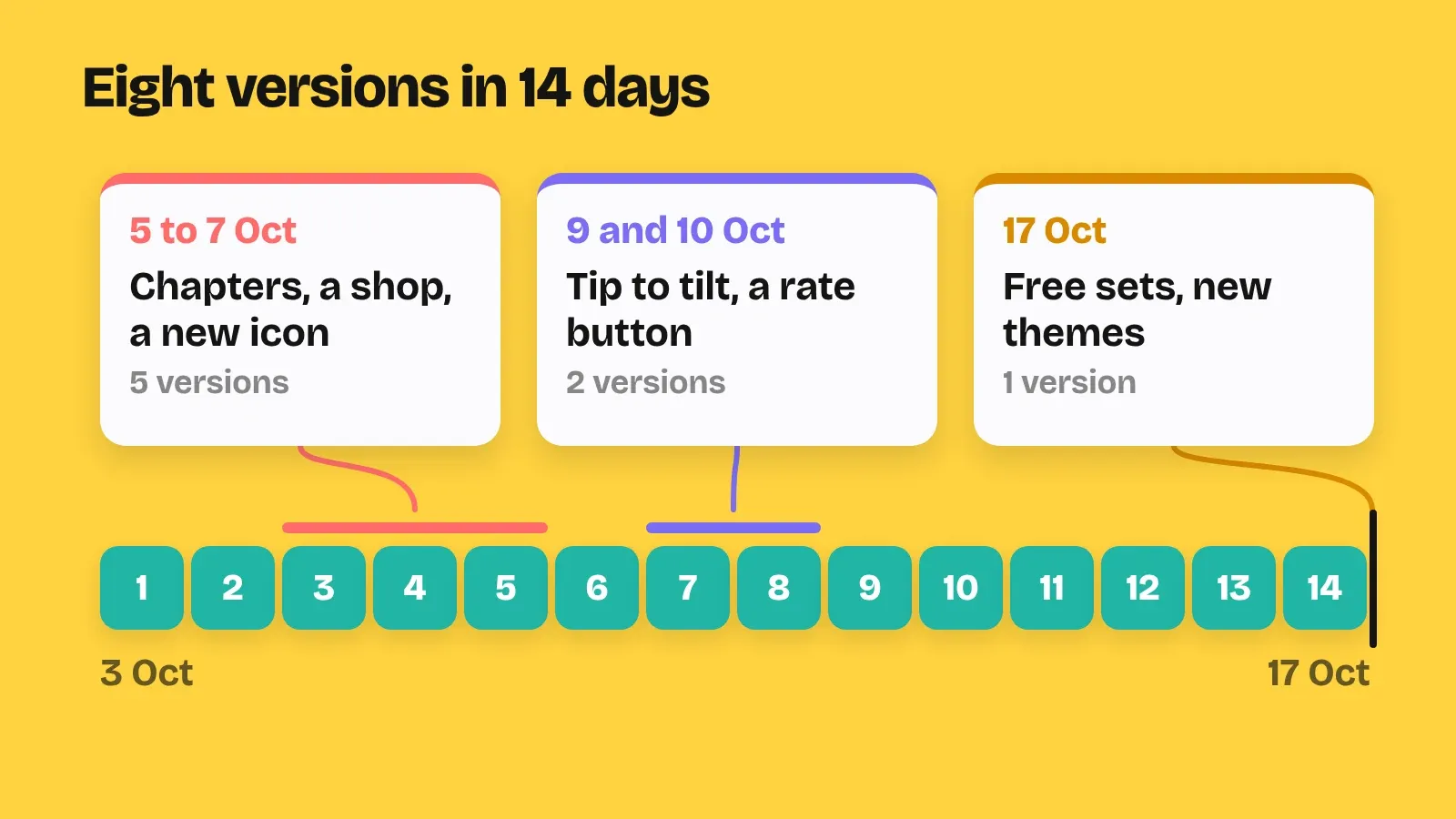
- 5 October: chapters, each with its own rule, colour and pattern. A shop with marble sets and colour themes. A new icon, and an opening where its marbles roll home. The tip jar stopped breaking with rupee prices. Testers got this one the same day.
- 6 October: I rebuilt the later levels so every tile on them matters. A hint’s trails stopped fading too soon, and the win card lost its white border in dark mode.
- 7 October: Plumb’s website, help page and privacy policy moved to chaosmos.studio/plumb.
- 9 October: you can tilt the board by tipping your phone. Your progress comes back if you reinstall.
- 10 October: a Rate button in About. Testers got this one too.
That same day I wrote in our first devlog that testing ends on 17 October, and that I would apply for production that day. The plan was Plumb first, then Carillon and Apsis a week apart.
The game in the test was now much bigger than the one that started it.
16 October, late at night
The 14 days were almost done. Before applying, I wanted Plumb to be a little more generous.
So Glass marbles and the Sepia colours became free for everyone. Two new marble sets went into the Marble pack, Pearls and Yarn, and four new colour themes into the Themes pack. That became the eighth version, on 17 October.
17 October, around 4 in the morning: the form
The 14 days ended on 17 October, and I filled in the production form in the early hours of that day. It has three parts: your closed test, your game, and whether it is ready. The written answers have a 300-character limit.
It asks how you found your testers and how easy that was. It asks how they played, what they told you, how you collected it and what you changed. Then who the game is for, what makes it different, and how many installs you expect in its first year. Then how you know it is ready.
For “what makes it unique”, Plumb’s line was “One swipe tilts the board and moves every marble at once.”
Then the wait. Google says this review usually takes seven days or less.
18 October: one yes, one no
The yes came first. Plumb was approved for production on 18 October, a day after I applied.
The no came the same day. Google AdMob, which is meant to pay for the ads in my games, turned down my account again.
So that evening Plumb changed one more time. No more ads between levels. A hint, a key or a try of a pack now cost a quick game of one of my other puzzles, instead of a video. Updates started downloading while you play, and you could rate the game without leaving it.
Approval is not the launch, though. The release itself goes through one more review.
At 8:48 at night I was sending Plumb to production, and Play Console showed a warning that made me stop and ask. Once the game was public, my choice of app signing key could never change. It sounds scary, but it just means Google signs the game for players with that key from then on.
A little before midnight, all three games were sent for review.
19 October: out
The next day they were live. At 8 in the evening I wrote here that Plumb, Carillon and Apsis were out on Google Play.
The plan had been Plumb first, then the other two a week apart. In the end, all three went out on the same day.
From 3:01 in the afternoon on 29 September to that evening: 20 days.
Is 20 days normal?
For me, it was. My fourth game, Pyxis, went a different way and took almost the same time.
For Pyxis, I tried strangers instead of friends. I made one Google Group for all my testers, a Play early page on this site with the steps, and asked on Reddit. About 25 people joined, many of them from outside India, and Pyxis had its 12 testers within about two days of starting.
Pyxis started on 15 October and reached everyone on 5 November. That is 21 days.
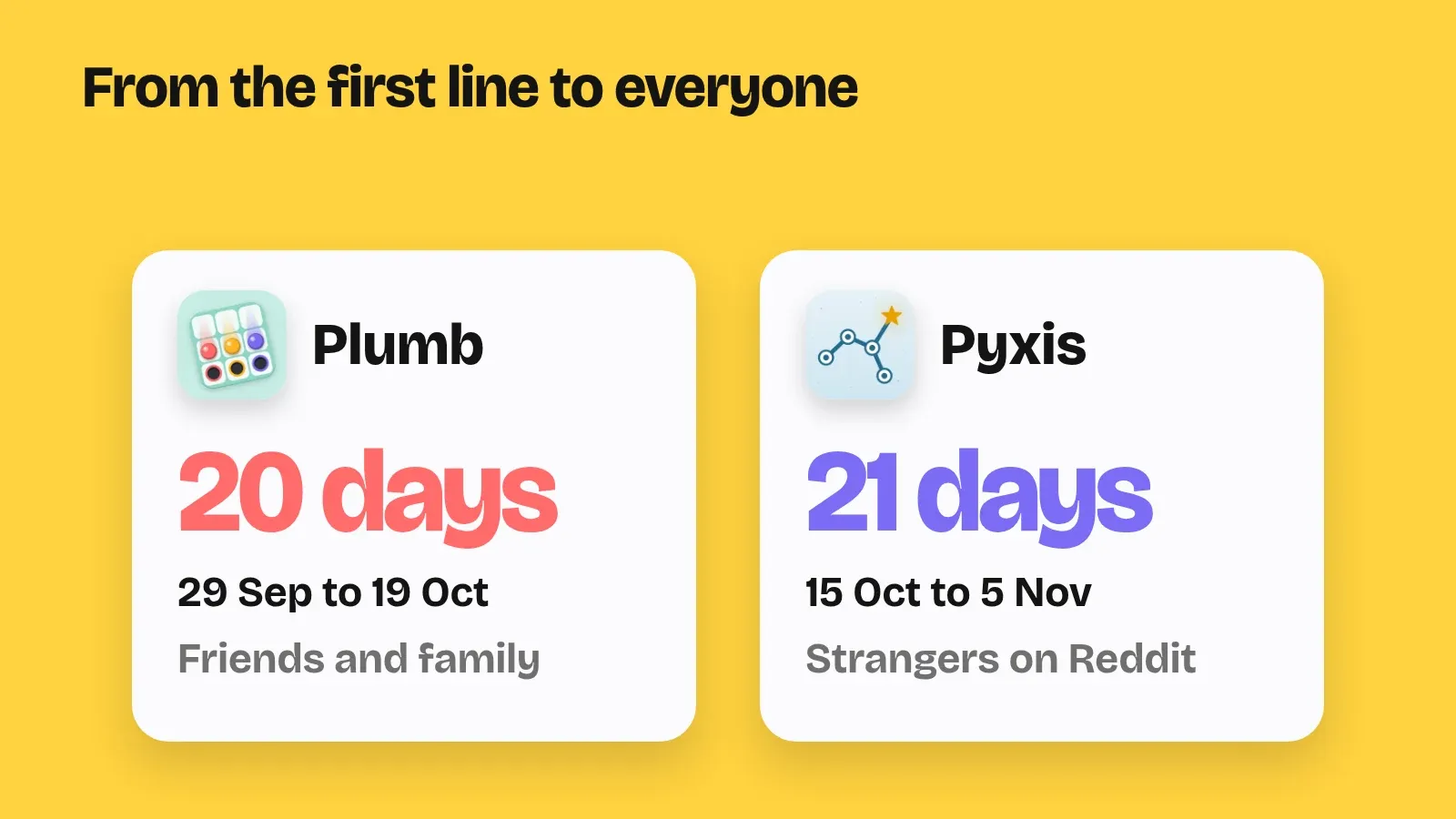
Two very different ways to find testers. Almost the same number of days. The rule sets the pace, not the game.
If you are starting your closed test today
Here is what I would tell myself on 1 October.
Day one
- Start the test the day the game first works. The 14 days do not need a finished game, and updates do not reset them.
- Fill App content in the right order. Privacy policy, Ads and Sign-in details first, because Target audience only opens after them.
- Set up the closed test fully. All countries, your testers, and a feedback link such as your game’s support page. Testers come either from email lists or from a Google Group, one or the other on each test.
- Expect a review before anyone can install. The first version goes through Google’s review first, which takes hours, sometimes a few days. Only then can you share the opt-in link.
- Skip internal testing if you are in a hurry. A new app installs only after its first review on either track, so it does not save time.
- Add your testers to License testing in Play Console’s settings, so they can try your shop without paying.
Finding 12 who stay
- Ask 15 to 20 people, not 12. A tester who leaves early stops counting, and someone always forgets.
- Make joining a one-minute job. Send the exact steps: open the link, tap “Become a tester”, install from Google Play, keep it installed for 14 days.
- Tell them not to leave and come back. That restarts their 14 days.
- For strangers, use one Google Group for all your games, so people join once, and a page with the steps. On Reddit, offer to test other developers’ apps back, and do it properly.
- Ask for real play: open it on a few different days, play a few levels, try the hint once. Google says it can ask you to keep testing if testers did not engage enough.
- Ship a small update in the middle. It gives testers a reason to open the game again.
- Never ask anyone to tap your ads.
What to write in the form
- Keep a running note from day one. Every message a tester sends, and what you changed because of it. The form asks for a summary of both.
- About your testers, tell the truth. Google itself says friends, family and colleagues are the most common way to find testers.
- About your game, be specific. Who it is for, and what makes it unique in one sentence. Google says these answers are not shown publicly and do not affect your app’s visibility.
- About being ready, give real reasons. What you changed after the test, that you played it through on real phones, and that Play’s pre-launch report is clean.
Was it worth it?
Two days to make a game and three weeks to ship it sounds unfair. But Plumb went into its test as a small game and came out with chapters, a shop, a new icon and free sets. Those 14 days made it better than the first two did.
The story of all nine games is in How I made 9 games in 40 days. And if you want to see what came out of those 20 days, Plumb is on Google Play now.