Undo is part of the puzzle
A wrong move can teach you something. Explore how Undo, Restart and previews help you read a puzzle, with a small interactive example you can take back.
 , 4 min read
You make a move and immediately see what you missed. One piece reaches the place you wanted. Another ends up somewhere awkward.
That can be a useful moment in a puzzle. You have learned something about the board. Undo lets you keep that knowledge while putting the pieces back.
In Plumb, I want that to be an ordinary part of playing. You can try an idea, watch every marble move, and take the tilt back if it did not do what you expected. The puzzle is still yours to work out.
Try something you can take back
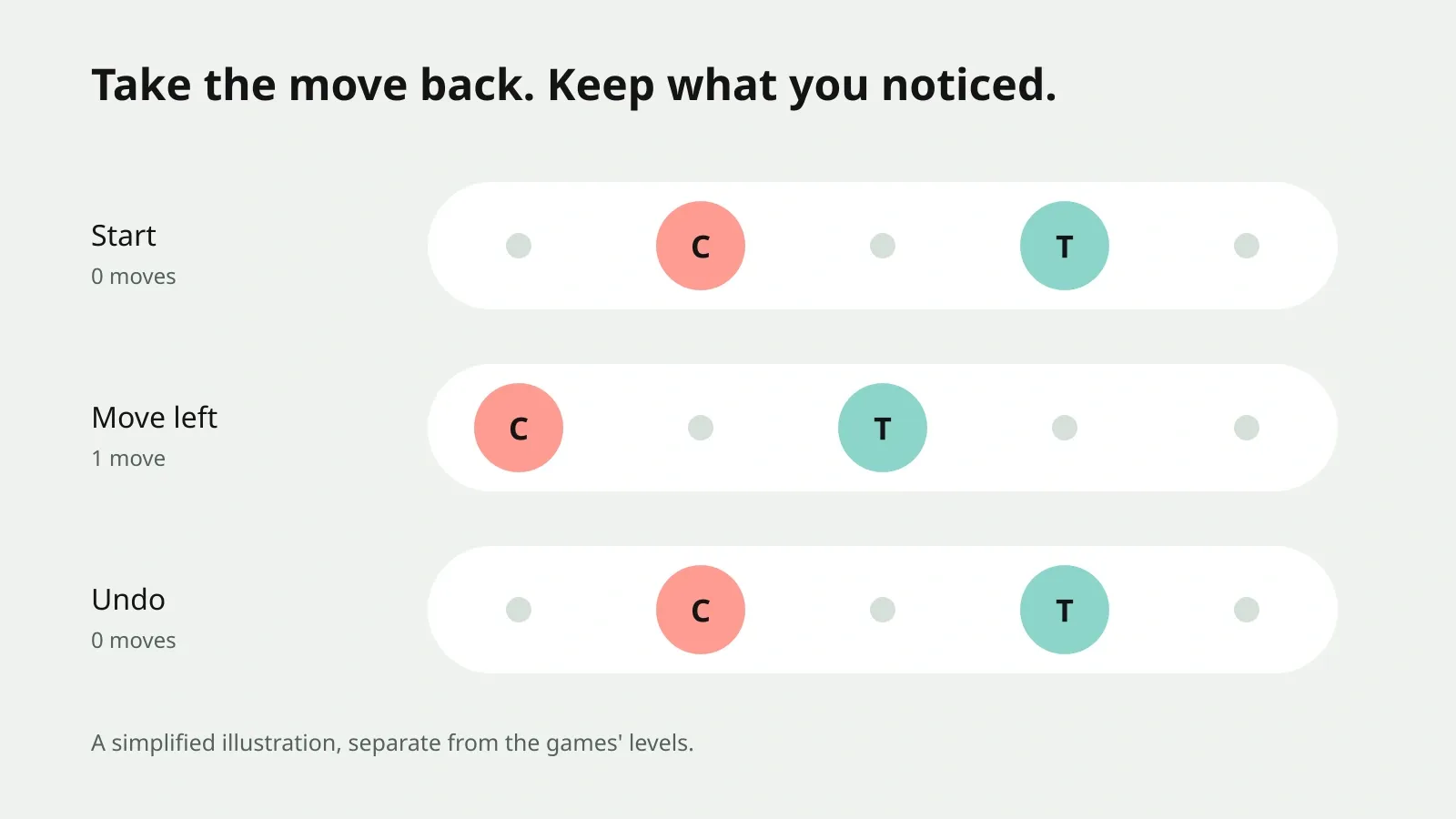
The small example below has two counters on a rail. Each press moves both counters one place, as long as both fit. Undo restores their previous positions and the move count.
There is no winning position, score or hidden answer. It is an illustration of taking a move back, separate from any Chaosmos level.
Try a move. Take it back.
Both counters move one place together. There is no puzzle to solve here.
Move left once, notice where both counters go, then undo. You return to the same arrangement, but you now know what that press does. That difference is the reason I like Undo in a puzzle.
A wrong move can answer a small question
When a board feels crowded, trying to imagine the whole solution can be too much at once. Choose one thing you want to understand instead.
Where does that piece stop? Does moving this knot make room around its neighbour? Will that wall hold one marble while the other keeps rolling?
Make a prediction, try the move, and compare it with what happened. If you want the original arrangement again, undo before investigating something else. That keeps the comparison easy to remember.
This is a way to explore a board, rather than a promise that every puzzle becomes easy. You still need to recognise useful positions and decide which moves belong together.
In Plumb, remember the other marbles
A tilt in Plumb moves every marble that can roll in that direction. The marble beside its hole is only part of the decision. Before swiping, look at what the same tilt will do to the others.
If the result surprises you, Undo restores the board before that tilt, including the move count. It also brings back a marble that fell down a pit. Restart returns to the beginning of that level instead.
Those buttons give you two useful scales of comparison. Undo asks, “What else could I do from just there?” Restart asks, “What would I do differently from the beginning?”
You do not need to remember a long trail of moves to use either one. When you lose track of why you reached a position, a fresh start can be easier to read. The Plumb guide to pits, Undo and Restart explains the game’s rules in more detail.
A preview answers a different question
Undo shows you what happened after a move. A preview can show part of the consequence before you commit.
In Apsis, hold an arrow to inspect its path. In Carillon, hold a dot to see its reach. Slide away if you want to keep looking without launching or tapping it.
Those games have their own costs for committed moves. Do not assume that a preview, Undo and Restart behave the same way in every puzzle. Read the game’s explanation before trying an experiment that might spend a life, a tap or a timed attempt.
I think of the options like this:
| What I want to do | The help I look for |
|---|---|
| Inspect a possible move before choosing it | A preview or hold gesture |
| Compare another move from the previous position | Undo |
| Read the original board again | Restart |
| Get a useful direction when I have run out of ideas | A hint |
If you are making a puzzle
Decide what a move includes before deciding what Undo restores. If a move changes a door, a collected item or a counter as well as a piece’s position, the player needs to understand what comes back. Restoring only the piece can leave them in a different situation from the one they meant to revisit.
Keep the control easy to find and explain its limits. If it works only before finishing a board, say so. If a timed mode keeps the clock running, make that visible too.
The Game Accessibility Guidelines recommend a place to practise without failure and contextual help during play. Undo can be one part of that design, although those recommendations do not require every game to offer the same recovery system. Game Accessibility Guidelines
My preference for a calm puzzle is generous recovery with a clear explanation. That is a design choice, not a measurement of how every player prefers to play.
Keep the observation
Before your next move, pick one piece to watch. After the move, ask whether it went where you expected. If it did not, take the move back and look again.
You do not have to earn the right to use the button. It is there to help you think.
Try that approach in Plumb or Pyxis. If you would rather have a small nudge before moving, there are more ideas in getting unstuck without a walkthrough.