What makes game controls feel responsive?
A press needs a clear reply. Explore input delay, visible feedback and readable motion with an interactive example, without treating animation as a latency fix.
 , 4 min read

You press a button and nothing seems to happen. So you press it again. Then both actions arrive together.
That is a small frustration, but it changes how much you trust a game. Before a character has a beautiful animation, I want the player to understand that their action reached it. Then I want the result to be clear enough that they know what to do next.
Those are related jobs. They are worth looking at separately.
A press has more than one moment
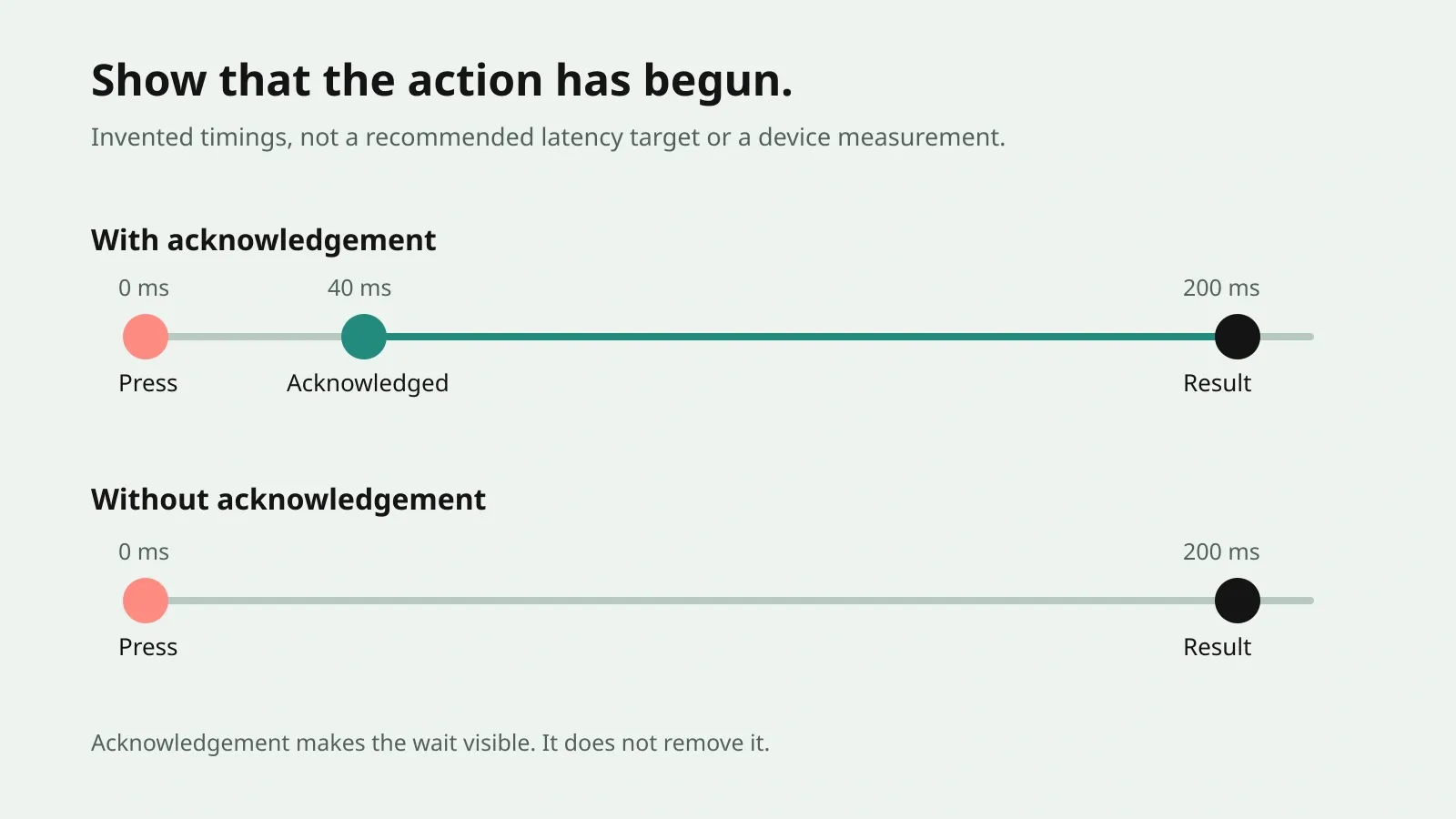
Think about three moments: you ask for an action, the game acknowledges it, and the action produces its result. Sometimes the last two happen together. A switch lights up and a door opens. Sometimes they are deliberately separated. A character starts winding up a heavy swing before the hit lands.
The waiting means something different if you can see that the swing has begun. It means something else if the character stands still while you wonder whether the button worked.
Designer Norm Nazaroff’s article on input latency distinguishes processing delay from delays created by the action’s design. It discusses how game states and action sequences can keep a player’s request from being handled when expected. Dealing With Designer Input Latency
That is a useful distinction for a small game too. Ask whether the press arrived late, whether the action was waiting for a rule, or whether its response was simply hard to see.
Feel the difference yourself
The example adds an artificial wait before a counter changes sides. You can choose whether the stage acknowledges the press immediately, and whether the move has a small landing effect. Try the same delay with acknowledgement on and off.
One press, two kinds of response.
Illustration only. This does not measure your device's input latency.
The selected milliseconds describe an added wait in this demonstration. They are not a measurement of your device’s input latency. Your browser still has to handle the input and draw the result, so the observed wait can be longer. Zero added wait does not mean zero physical delay.
The counter always makes the same move. The acknowledgement and landing effect change how that move is presented. Neither makes the scheduled wait disappear.
A clear response can be quiet
Responsive does not have to mean loud. A held piece can lift slightly. A selected tile can gain an outline. A move that cannot happen can show what is blocking it.
In Apsis, holding an arrow lets you inspect its path before launching it. That gives the press something useful to say while you are still deciding. In Carillon, a held dot shows its reach. The response is information about the action you are considering.
These are the kinds of replies I look for first. They help someone read the game without needing a celebration on every touch.
What a landing adds
A moving object tells you where it is going. Its stop can tell you what it hit. A brief change in shape, a small sound or a ripple can make that contact easier to notice.
Martin Jonasson and Petri Purho’s 2012 talk, Juice It or Lose It, demonstrates adding feedback and presentation to a simple game. It is a useful demonstration of how much the same basic interaction can change through its response. GDC’s session page
I take that as a set of possibilities to try, rather than a list of effects every game needs. An effect earns its place when it explains the movement, contact or result. If it hides the next decision, I would make it smaller or remove it.
More effects do not repair a late action
A bright burst after a long unexplained pause is still late. Before adding more decoration, inspect the action itself.
Mick West’s 2008 article Programming Responsiveness examines how the path from input to displayed response can accumulate delay. Its engineering examples are historical, but the question remains useful: where does the player’s request wait? Mick West’s article
For an investigation, choose one action and record it on the intended device. Watch the physical press and the first visible response together if your recording setup allows it. Write down the device, settings and recording method before comparing changes. Do not infer the whole input-to-display delay from the frame-rate counter alone.
The frame-time guide explains the separate question of how long frames take.
Keep the response readable for more people
Sound can reinforce a contact, but a player may have the phone muted. Colour can reinforce a selection, but it should not be the only way to recognise it. Movement can draw attention, but some players need less of it.
The Game Accessibility Guidelines recommend carrying essential information through more than one channel and offering controls for haptics. Their visual guidance also includes avoiding camera effects that can make people uncomfortable. Game Accessibility Guidelines
The lesson above uses a labelled counter and a written result as well as colour and movement. It respects the device’s reduced-motion preference. Those choices keep the comparison available when the extra movement is switched off.
A useful question for your next play session
Choose one gesture in your game. Ask someone unfamiliar with it to try that gesture. Watch whether they press again before the first result arrives, miss the response, or misunderstand why an action was refused.
Then change the part you observed. It may need less waiting, a clearer beginning or a quieter finish. You do not have to change all three at once.
For a small example of reading a press before committing it, see Apsis and its path preview.